Never forget what you paid
Keepmint keeps every coin's photos, price paid, purchase date, condition and storage spot in one place, and shows what your whole collection adds up to.
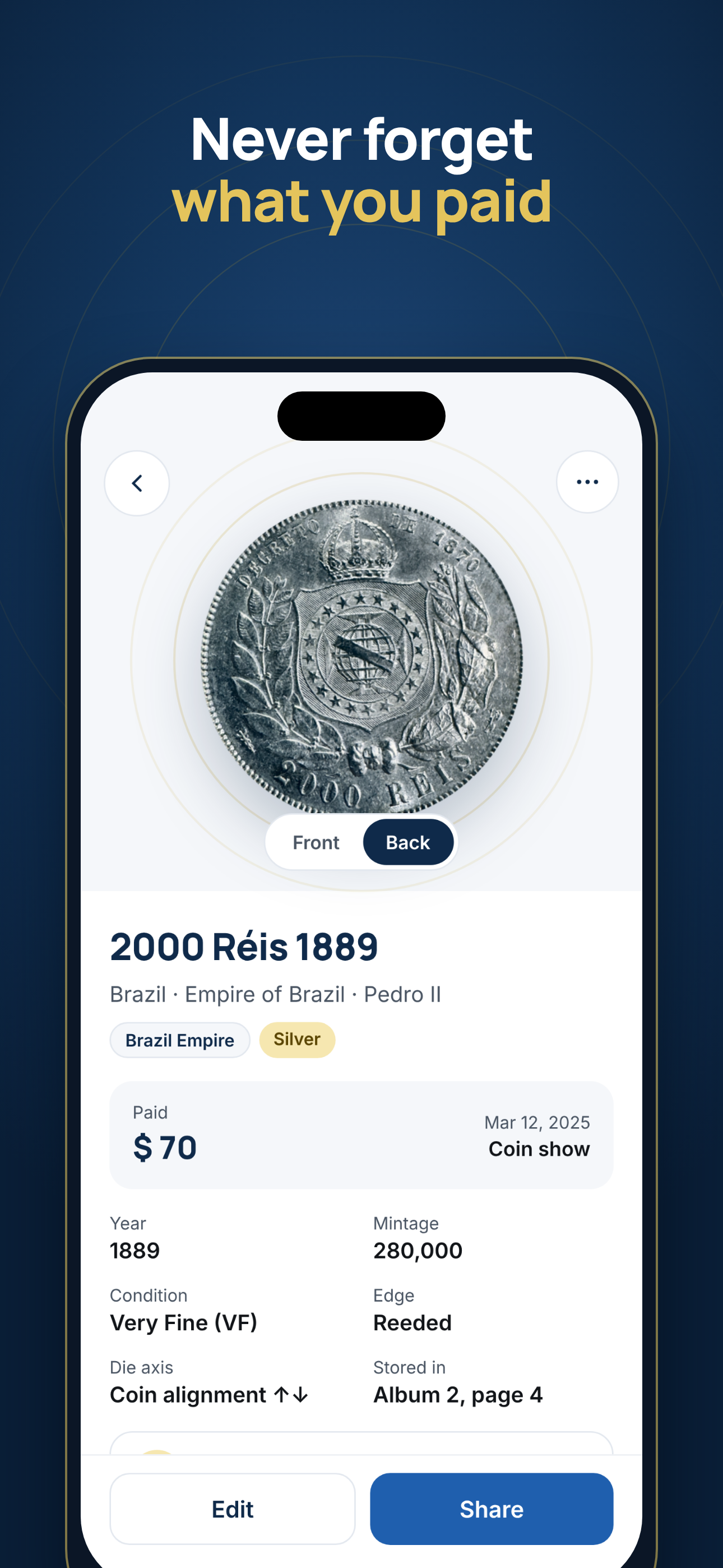
What you can log for every coin
Fill in what you know and add the rest later.
- Front and back photos
- Coin name, country, year, metal and edge
- Price paid, purchase date and where you bought it
- Condition, such as Very Fine (VF)
- Estimated value
- Where it is stored, for example "Album 2, page 4"
- Quantity, for duplicates
- Your notes
See the totals
Estimated value, total paid and the difference, plus how many coins and countries you have.
Folders, search, sort and filter
Group coins your way, like "Brazil Empire" or "For trade", filter by country, year or metal, and find any coin in seconds.
Your data, your file
No account. The collection stays on your iPhone, and you can export it to CSV whenever you want.
Why log the price you paid
Most collectors remember the big purchases and forget the rest. A few years later, nobody knows what a coin cost, where it came from, or which album it is in. Keeping the price paid next to each coin helps when you:
- decide whether a new purchase is a fair price compared to what you paid before;
- sell or trade, and want to know if you are making or losing money;
- list your collection for insurance;
- leave a clear record for your family.
Start your collection log
Keepmint identifies a coin from a photo of both sides and keeps its price paid, date, condition and storage spot in one place on your iPhone.
Coming soon to the App StoreFree to download. For iPhone.
Frequently asked questions
What is the best way to keep track of a coin collection?
Record each coin once, with photos of both sides, what it is, what you paid, when and where you bought it, its condition and where you store it. Keepmint keeps all of that on your iPhone, and can export it to a CSV spreadsheet.
Can I export my coin collection?
Yes. You can export your collection to CSV at any time and open it in Excel, Numbers or Google Sheets.
Where is my collection stored?
On your iPhone. There is no account and we cannot see your collection. If you use iCloud Backup, Apple may include the app data in your device backup, so keep backups on.
Do I have to identify a coin before adding it?
No. You can use the identifier to fill in the details from photos, or add a coin and type the details yourself.
Can I organize coins into folders?
Yes. Create folders such as a country, a series or "For trade", then search, sort and filter your coins.